OPS PC explained: the slot-in computer for display panels
What an OPS PC is, when you need one instead of built-in Android, service and power budget, and how to match an OPS module to a display slot.
Published 2026-09-23
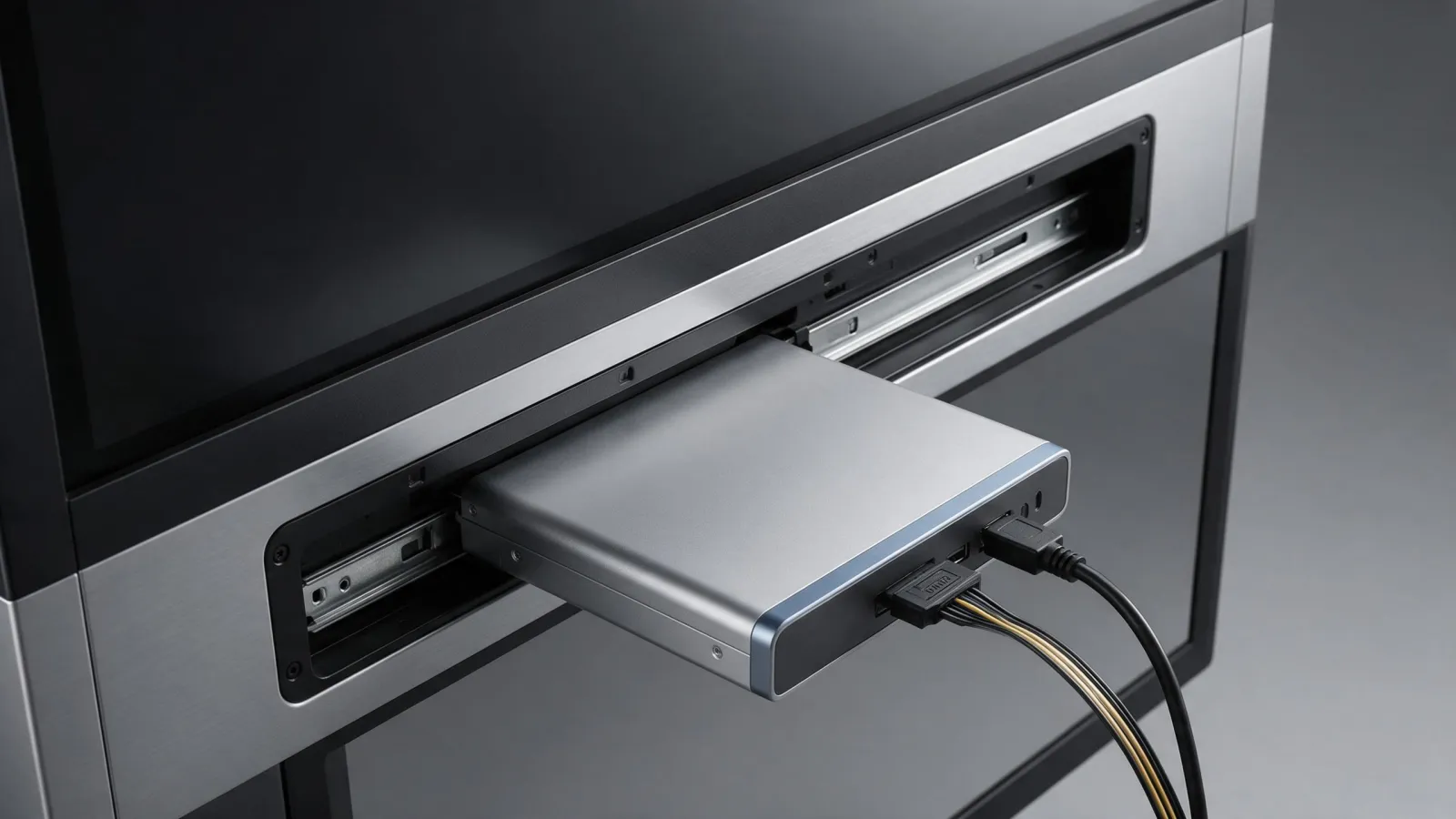
An OPS PC is the slot-in computer module defined by the Open Pluggable Specification, a plug-in format for adding computing capability to flat panel displays. Think of it as a small computer that slides into a dedicated slot on the back or side of a display, turning that display into a full Windows or Android workstation. The standard was first announced by NEC, Intel, and Microsoft in 2010, and it's now used by many display manufacturers for education panels, conference displays, and digital signage.
What an OPS PC is: the slot-in computer standard
OPS stands for Open Pluggable Specification. It defines a standardised slot, connector, and power/signal interface between a display and a pluggable computer module. The module slides into the slot, where it receives power and data, and it starts up automatically with the display. According to Intel's introduction to the specification, it's an effort to standardize the connector and signals from the main IA board to a digital signage display. (Introduction to the Intel® Open Pluggabl)
The standard defines a form factor with compact dimensions, typically 180mm x 119mm x 30mm, allowing for slim display profiles. The connector is an 80-pin right angle blind mate plug, with its receptacle on the display side. That single connector carries power, display interface, audio, USB, UART, and control signals. So one slide-in module replaces a tangle of external cables and a separate media player box.
Computing modules in the OPS format are available on Intel- and ARM-based CPUs, running operating systems including Microsoft Windows and Google Android. That means an OPS PC can run signage software, interactive apps, media playback, conference tools, education software, and public information systems. The main benefits are reduced setup time, improved integration, and easier maintenance because replacing the module is quick.
When you need an OPS PC instead of the built-in Android
Most of our interactive flat panels run Android out of the box. That's fine for basic whiteboarding, annotation, and media playback. But you'll want an OPS PC when the customer needs Windows-only software or legacy applications that won't run on Android. Think of a school that has invested in Windows-based teaching tools, or a corporate meeting room that must run a specific video conferencing client.
Another trigger is processing power. The built-in Android SoC is designed for light tasks. If you need to run heavy interactive content, real-time data dashboards, or multiple 4K video streams, an OPS PC with a more powerful CPU gives you the headroom. It also lets you standardise on a Windows environment across many displays, so IT can manage them all with the same tools and images. Some buyers use the display as a full desktop computer without external cables, and the OPS module makes that possible.
Say you're fitting out a training room with five displays. If all five run the same Windows courseware, an OPS PC in each display keeps the installation clean and the software consistent. Without OPS, you'd need a mini PC behind each display, plus power and video cables, and you'd have a box to hide.
How an OPS PC changes service and maintenance
OPS modules are designed to be field-replaceable. The module can be swapped without removing the display from the wall. If the PC side fails, a technician slides out the old module, slides in a spare, and the display is back in service in minutes. The display's own Android system remains separate and available, so the panel itself isn't dead just because the OPS PC failed.
Upgrades are done by replacing the module, not the whole panel. When the customer needs a faster CPU or a newer OS, you don't have to touch the display. That's a big deal for budget planning: the display investment lasts longer, and the computing part is refreshed independently. IT staff can keep spare modules on site for quick replacement, which is much cheaper than keeping spare displays.
The Open Pluggable Specification was designed partly to reduce downtime and maintenance cost. A module swap takes less time than troubleshooting a built-in computer, and it doesn't require a specialist. In a school or retail chain with dozens of displays, that's a real operational advantage.
Thermal and power budget: what to check before buying
OPS modules draw power through the slot, so the display must supply enough wattage. Each display's OPS slot has a maximum power rating. If the module needs more power than the slot can provide, it won't boot or will shut down under load. Always check the display's OPS power rating and the module's TDP. The display maker usually states this in the spec sheet.
Thermal design affects reliability in enclosed or 24/7 installations. Some modules have active cooling with a small fan; others are fanless. Fanless modules are quieter and have no moving parts, but they may throttle under sustained load. Active cooling allows higher TDP parts but introduces a fan that can fail or get clogged. For a digital signage display in a hot, enclosed kiosk, you need a module that can dissipate heat within the display's thermal envelope.
Ask any supplier for the module's TDP, the display's OPS power rating, and the thermal design. If the display maker doesn't publish these, ask for a test report. A module that overheats will throttle or shut down, and that's a service call you don't want.
OPS PC vs external mini PC: which one to choose
OPS keeps everything inside the display, with no extra cables or boxes. The module slides into the slot, receives power and signal, and the installation looks clean. For education panels, conference displays, and public signage where appearance matters, OPS is the better choice. It also makes servicing faster because there's nothing to unplug or remount.
An external mini PC is easier to upgrade and can be used with any display, even one without an OPS slot. You can buy a faster mini PC later and move it to another display. Mini PCs are generally cheaper than OPS modules and more flexible across brands. If the customer already has a fleet of mini PCs or a standard IT build, an external PC may be simpler.
Say you're installing a single display in a small meeting room. An external mini PC on a shelf behind the display is fine. But for a row of displays in a lobby, or a wall-mounted panel in a classroom, the OPS module wins because it eliminates cable clutter and makes the display self-contained.
| Factor | OPS PC | External mini PC |
|---|---|---|
| Installation | Clean, inside the display | Extra box and cables |
| Upgrade path | Replace module | Replace PC |
| Compatibility | Only displays with OPS slot | Any display with HDMI |
| Service | Quick swap, display stays on wall | Unplug and replace PC |
| Cost | Usually higher | Usually lower |
Our OPS module: what we can and cannot tell you
SLINVUE lists an OPS module as an accessory on our accessories page. We do not publish specifications for it. That means we cannot state the processor, memory, storage, or OS options without confirmation from our production team. If you need a specific CPU or a Windows licence, you'll have to ask us and we'll confirm the current build.
We know that's not ideal for a buyer who wants to compare specs side by side. But it's honest. We'd rather tell you what we don't publish than give you a spec sheet that changes before you order. To match a slot, send us the display model, OPS slot dimensions, power rating, and required OS. We will confirm compatibility and provide a specification sheet before you order.
You should ask any supplier for the same thing. A supplier that won't confirm specifications before you order is one to avoid.
What to send us to match an OPS slot
If you're ordering an OPS module from us, or from any OEM/ODM supplier, here's the checklist. Send these details with your enquiry, and you'll get a straight answer about compatibility.
- Display brand and model number
- OPS slot physical dimensions (width, height, depth)
- Power available from the slot (wattage)
- Required operating system and any specific processor needs
- Quantity and target market
If the display brand doesn't publish slot specifications, tell us what you know and we'll work from the standard. The OPS form factor is defined, so a module built to the specification should fit any compliant slot. But power and thermal limits vary by display, so we need the display model to confirm the power budget.
For a quote, send us the model or size, quantity, target market, and any customisation. You can reach us through the contact page, and we'll answer within 24 hours. Our office is at RM1405, Block A, Xichuang Technology Building, No.7025 Liuxian Avenue, Xili Street, Nanshan District, Shenzhen. We don't publish prices or MOQ on the catalogue; ask us directly and we'll quote for your project.
Sources
Frequently asked
What is OPS in PC?
OPS stands for Open Pluggable Specification. It's a standard that defines a slot, connector, and power/signal interface between a display and a pluggable computer module. An OPS PC is that module, which slides into a compatible display and turns it into a full computer.
What is an OPS PC module?
An OPS PC module is a small computing device built to the Open Pluggable Specification. It contains a CPU, memory, storage, and operating system, and it plugs into a dedicated slot on a commercial display. The module receives power and data through an 80-pin connector and starts up with the display.
What does OPS stand for in software?
In the context of display hardware, OPS stands for Open Pluggable Specification. It's not a software term; it's a hardware interface standard. The software running on an OPS module is typically Windows or Android, depending on the module's configuration.
What is an OPS screen?
An OPS screen is a commercial display that has a built-in slot for an OPS PC module. The screen itself is a flat panel display, and the OPS slot allows you to add a full computer inside the display. This is common on interactive flat panels and digital signage displays.
Request a quote
Send the model, size and quantity you are quoting. You get a spec sheet and a price back within 24 hours.
- Lead time
- Bulk orders in as little as 15 days
- Build options
- OEM and ODM
- Support
- 24/7 technical and customer support