Kiosk cost: what drives the price of a self-service kiosk
Kiosk cost depends on form factor, screen, compute, and peripherals. This hardware guide explains how to budget for self-service kiosks.
Published 2026-09-23
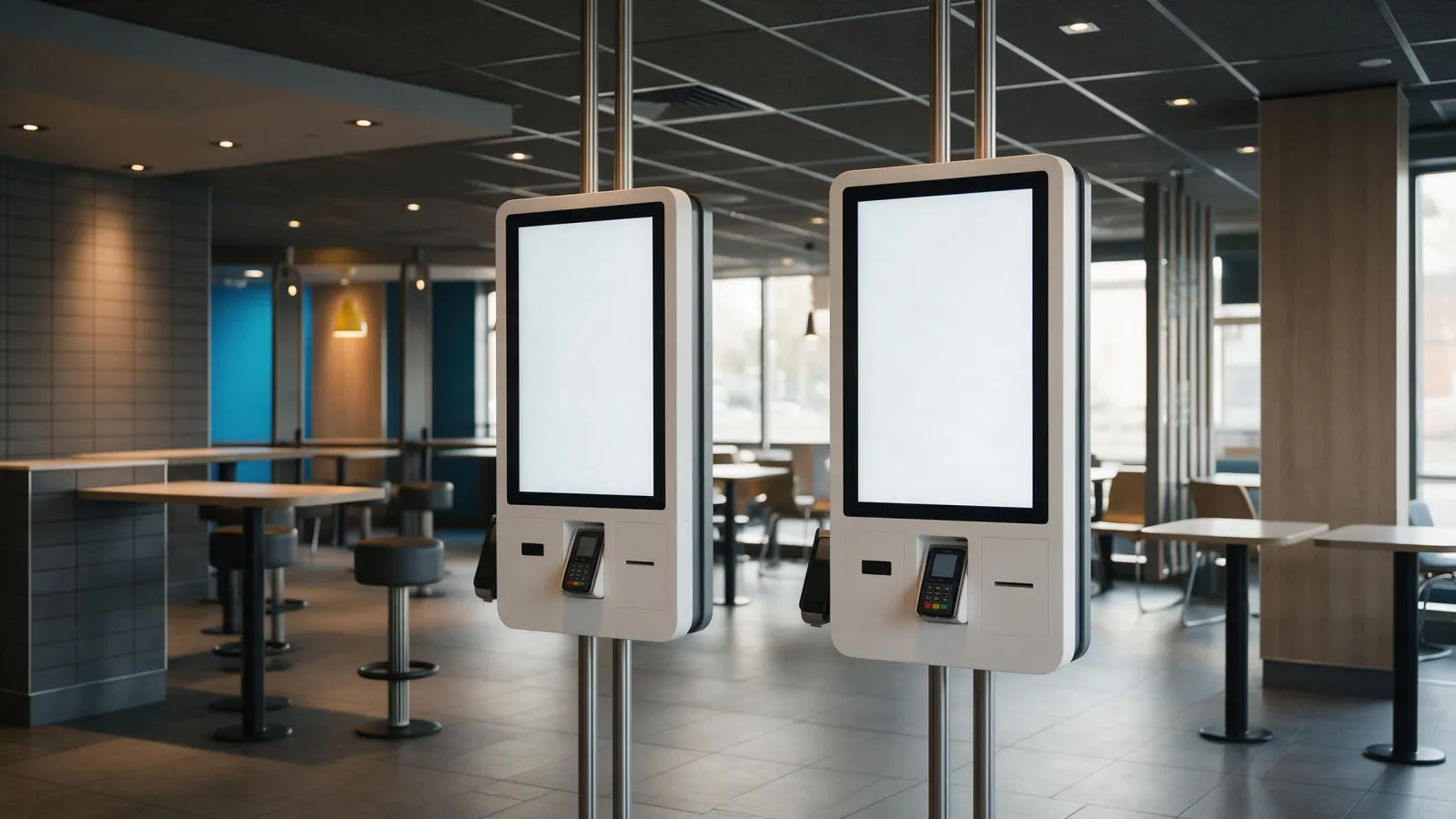
Kiosk cost? Not one number. It's a stack of choices. Enclosure, screen size, touch, compute, peripherals-each moves the needle. We publish no prices, but we can tell you exactly what moves the quote. This guide's for restaurant chains, retail integrators, and POS resellers. Specify self-service hardware without surprises.
What Actually Drives Kiosk Cost: A Hardware-First Breakdown
Four things set the baseline. Enclosure and form factor. Screen and touch technology. The compute (Android vs Windows). And the peripherals. Peripherals are the wildcard. A thermal printer with auto cutter runs more than a camera. A card reader certified for payment beats a QR scanner on price. You can see which peripherals exist on our models in the self-service kiosks section. But first, the enclosure.
Form Factor and Enclosure: Where the Metal Meets the Margin
Countertop kiosks are the most affordable and space-efficient. They sit on a counter, so there's no floor stand to manufacture. Our desktop self-service kiosk and countertop kiosk with printer fit this category. Wall-mounted units save floor space but need structural support. You'll need a wall with the right load capacity and cable routing. Our wall-mounted self-ordering kiosk is a 21.5" unit. Floor-standing kiosks offer the most presence and peripheral capacity. They have room for a printer, scanner, and card reader inside the column. Enclosure material matters too. Powder-coated steel is cheaper than stainless. A custom color adds cost. Ask any supplier what gauge steel they use and whether the finish is indoor-only.
Screen Size, Touch, and Compute: The Specs That Set the Baseline
Kiosk screens usually fall in the 21.5" to 43" range. Bigger ones cost more. They also change how people use them. A fast-casual self-ordering kiosk? 21.5" or 27" works fine. Mall wayfinding? Go 43". Touch tech matters a lot. PCAP (projected capacitive) is on most of our kiosks. It's durable and handles multi-touch. Plain capacitive is cheaper. But it's less precise. Compute is the other big lever. Android keeps costs low and suits single-purpose apps. Windows tacks on licensing. You get more peripheral support and easier integration with your existing POS, though. Some models, like the self-ordering kiosk, come in both flavors. Indoors, resolution and brightness matter less. 1920x1080 is the norm. Kiosk near a window? Ask about brightness.
Peripherals That Move the Price: Printer, Scanner, Camera, Card Reader
Peripherals can double the hardware cost. Think about a thermal printer with auto cutter. It's essential for receipts or order tickets. But it adds mechanical parts that need maintenance. A barcode or QR scanner? Cheaper. Useful for loyalty programs or product lookup. A camera can handle age verification, facial recognition, or video intercom. Cameras raise privacy questions, though. You'll need to think hard about data handling. A card reader is a different beast entirely. If it processes payments, it must meet EMV standards. EMV stands for Europay, Mastercard, and Visa. The payment provider handles terminal certification, not the kiosk manufacturer. But the kiosk must physically accommodate the terminal. A POS mount lets you attach a standard payment terminal to the kiosk. That's a smart way to avoid re-certifying the whole kiosk.
Integration Costs Buyers Forget: Software, Certification, Installation, Spares
Software licensing is the biggest hidden cost. Hardware's a one-time purchase. The software? Usually a subscription. POS integration means the kiosk has to talk to your existing order management system. That's custom work. Payment terminal certification is handled by the payment provider, but you've got to confirm the kiosk's physical design doesn't interfere with the terminal's security features. The PCI PTS POI Security Requirements say the device must deter visual observation of PIN entry. Usually that's done with a shielding barrier or limited viewing angle. Installation includes site prep: power, network, and mounting. Spares? Easy to forget. A thermal printer head wears out. A touch screen can crack. Budget for a few spare units per site, or at least a field replacement plan. Our production process includes dust-free cleaning, backlight assembly, optical bonding, and QC machine testing. That helps with initial quality, but field failures still happen.
How to Specify a Kiosk Without Getting Locked In
Buyers mess up here a lot. They choose a kiosk tied to one software vendor. Then they're stuck. Don't do that. Ask for modular peripheral bays. Printer, scanner, card reader-each in its own swappable module. Change POS providers? Just swap the payment module. No need to replace the whole kiosk. Make sure the same enclosure supports Android and Windows. Our self-ordering kiosk and floor-standing kiosk do both. That's flexibility. Get a pilot unit before you commit to a fleet. Run it in one store for a month. Watch the touch response, printer reliability, heat. Plan for software changes without swapping hardware. A kiosk with a standard x86 board or common Android SoC is way easier to re-image than some proprietary design.
Questions to Ask Your Kiosk Supplier Before You Budget
Don't just ask for a price. Ask these questions first.
- What peripherals are validated on this model? Get a list, not a promise.
- What's the lead time for a bulk order? We can deliver in as little as 15 days. But confirm that for your configuration.
- What support is available after deployment? We offer 24/7 technical support. Ask how that works in your time zone, though.
- Can the enclosure be customized for branding or future peripherals? Custom colors, logo panels, and extra cutouts-they all affect cost and lead time.
Here's a comparison table to help you think through the main choices. It uses words, not invented numbers.
| Factor | Lower Cost Option | Higher Cost Option | Notes |
|---|---|---|---|
| Form factor | Countertop | Floor standing | Floor standing adds a column and base |
| Screen size | 21.5" | 43" | Bigger panel, bigger enclosure |
| Touch | Capacitive | PCAP | PCAP is more durable and multi-touch |
| Compute | Android | Windows | Windows adds licensing and peripheral support |
| Printer | None | Thermal with auto cutter | Adds mechanical parts and maintenance |
| Payment | QR code on screen | Card reader with POS mount | Card reader requires EMV compliance |
A Buyer Checklist You Can Copy
Use this checklist when you talk to any kiosk supplier. It's not exhaustive, but it covers the big items.
- Confirm the form factor: countertop, wall mounted, or floor standing.
- Specify screen size and touch technology (PCAP recommended for public use).
- Choose Android or Windows for the compute platform.
- List required peripherals: printer, scanner, camera, card reader, POS mount.
- Ask about modular peripheral bays and standard mounting patterns.
- Request a sample or pilot unit for testing.
- Confirm lead time for bulk orders and support after deployment.
- Ask about customization options for branding and future peripherals.
And one more thing: don't assume a kiosk is a kiosk. The cheapest quote might be a desktop unit with a consumer tablet inside. The most expensive? A floor-standing unit with a certified payment terminal. Know what you're buying.
What to Send Us for a Quote
We don't publish prices. But quote a configuration? That we do fast. Tell us the model or size you're considering, the quantity, your target market, and any customisation you need. Include the peripherals. A thermal printer? A card reader? A camera? More detail means a faster reply. Contact us through our contact page and we'll get back to you within 24 hours.
Sources
Frequently asked
How much does a kiosk usually cost?
Kiosk cost varies widely by form factor, screen size, compute, and peripherals. A basic countertop unit with Android and no printer costs less than a floor-standing kiosk with a thermal printer, card reader, and Windows. Ask any supplier for a configuration-specific quote, not a generic price.
How much does it cost to set up a kiosk?
Setup costs include installation, site preparation, and software integration. Installation covers power, network, and mounting. Software integration is often custom work between the kiosk and your POS system. Payment terminal certification is handled by the payment provider, but the kiosk must physically accommodate the terminal.
Are kiosks profitable?
Profitability depends on your business model. Self-ordering kiosks can reduce labor costs in restaurants. Information kiosks can reduce staff time answering questions. But the hardware is only part of the equation. Software subscriptions, maintenance, and spares all affect the return on investment.
What factors affect the price of a self-service kiosk?
The main factors are the enclosure and form factor (countertop, wall mounted, floor standing), screen size and touch technology, compute platform (Android vs Windows), and peripherals. Peripherals like thermal printers, scanners, cameras, and card readers can significantly increase the price. Customization and bulk order quantity also affect cost.
Request a quote
Send the model, size and quantity you are quoting. You get a spec sheet and a price back within 24 hours.
- Lead time
- Bulk orders in as little as 15 days
- Build options
- OEM and ODM
- Support
- 24/7 technical and customer support